 SnapMonster
AI Sprite Sheet Generator
One photo → an original character → 16 action poses. Snap anything in the real world. The AI turns it into a monster that is yours alone, then draws it walking, running, jumping, swinging, taking a hit and celebrating — all in the same art style.
Works in your browser — no app install, no drawing skills, no selfie required.
One card in, sixteen poses out
Left: the card. Right: the same creature, 16 ways.
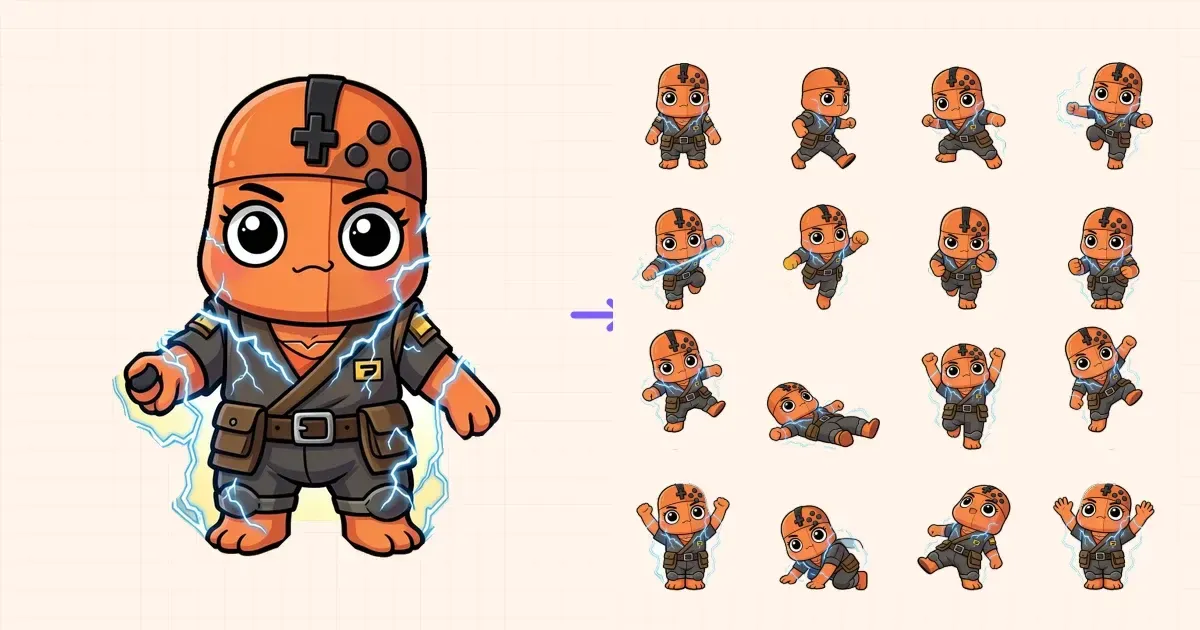
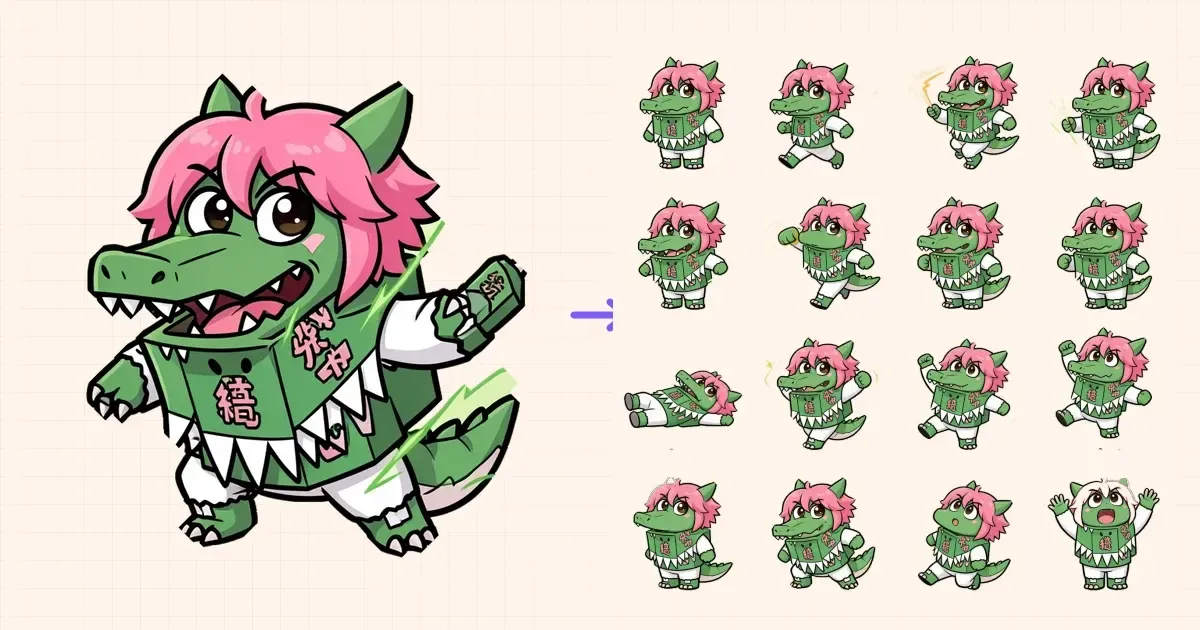
A sprite sheet is one image that holds many frames of the same character. Play them in order and the character moves. Game makers have drawn them by hand for forty years; now a model can draw all sixteen in one pass — but only if the creature stays recognisably itself in every cell, which is the hard part.
SnapMonster starts one step earlier than the other tools you have seen this week. You do not upload a picture of yourself. You point your camera at an object — a mug, a houseplant, a pair of sneakers — and the AI invents a creature from it. That creature gets a name, an element, stats and a signature power. Then it learns to move.
How it works
Three steps, about a minute.
Snap anything
Photograph any real object, or pick one from your gallery. No camera handy? Choose one from a set of fun everyday objects instead.
Meet your monster
The AI reads the object and generates an original creature — art, element, stats and a power drawn from what it saw.
Make it move
One tap turns that card into a 4x4 sheet of 16 poses. Your card art starts animating, and the poses drive it in battle.
The sixteen poses
Read left to right, top to bottom — the order is fixed, so every sheet is interchangeable.
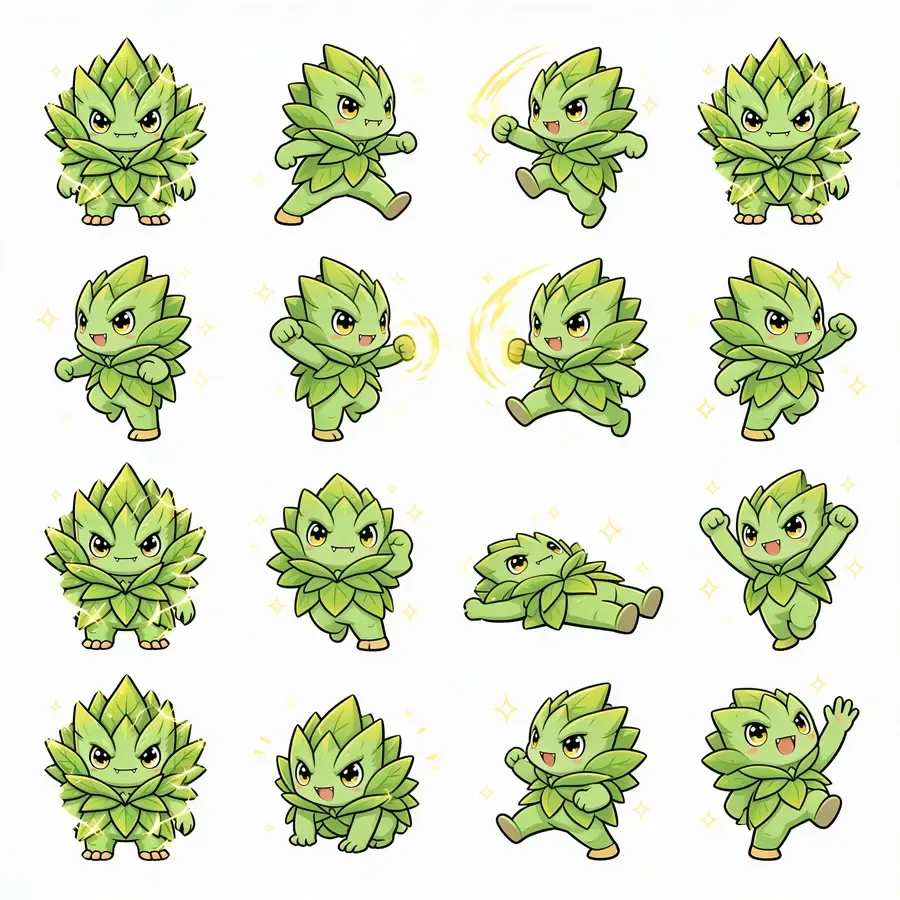
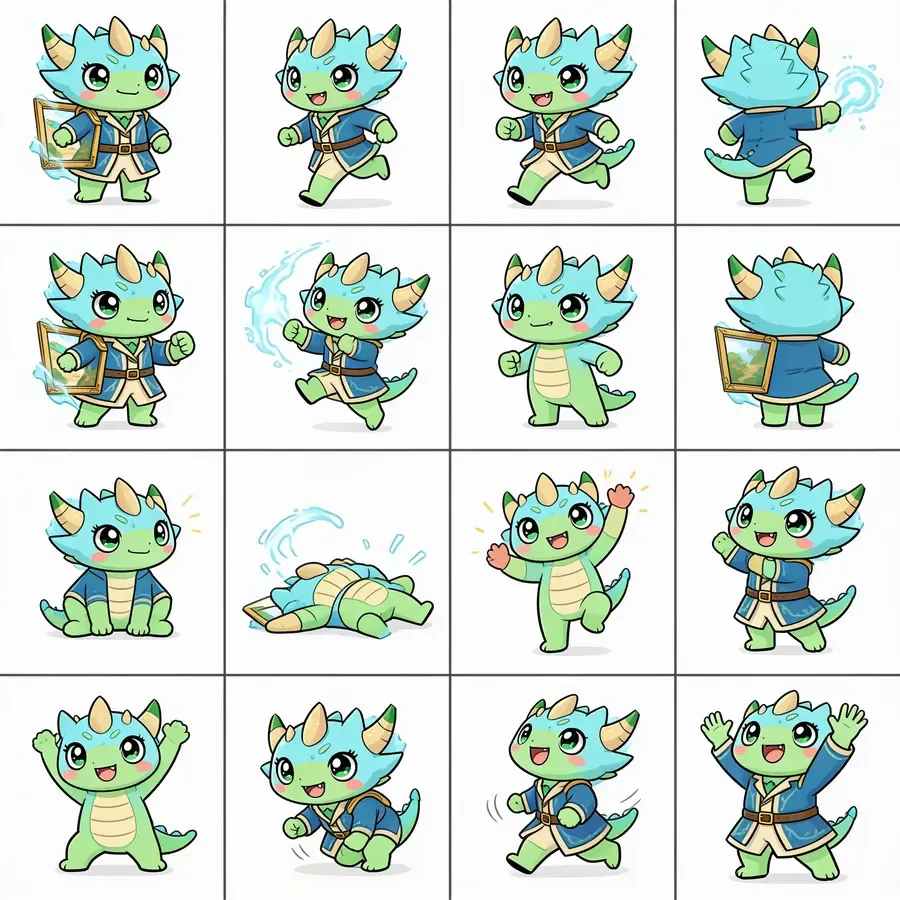
idle · walk · run · jump · attack · punch · cast · guard · hurt · knocked down · victory · taunt · crouch · dodge · look up · wave
Why this one is different
Not a filter on your face
Every other sprite-sheet demo starts with a selfie. This one starts with a coffee mug and ends with a creature nobody else has.
It keeps being the same creature
Each sheet is checked automatically before it is kept. If the character drifts into a different monster, the sheet is thrown away and you are not charged.
The poses actually get used
This is not a picture of a game. Your monster swings when it attacks and drops when it is knocked out, against a real opponent.
Free to start
Make a monster without signing up. Animating one costs a little energy, which you earn by playing.
Questions
What is a sprite sheet?
One image holding many frames of the same character. Ours is a 4x4 grid of 16 poses; play a few in a loop and the character breathes, walks or celebrates.
Do I have to upload a photo of myself?
No. Point the camera at an object instead. Nothing about you is uploaded or drawn.
Does the art style stay consistent?
Yes — every frame is generated from your own card's artwork, so colors, outfit and proportions carry through all sixteen cells.
What can I do with it?
Your card art starts moving, you can share the before-and-after image, and the poses drive your monster in battle.